ShowShot / Product / Capture

The recorder is the spine of everything else.

Every story on this site starts with somebody pressing record. So this is the part we refuse to ship as "good enough": instant start, controls that move out of your way, a pause that actually pauses, and a link waiting the moment you stop.

Screen · Camera · BothFive layoutsRegion captureFree, forever
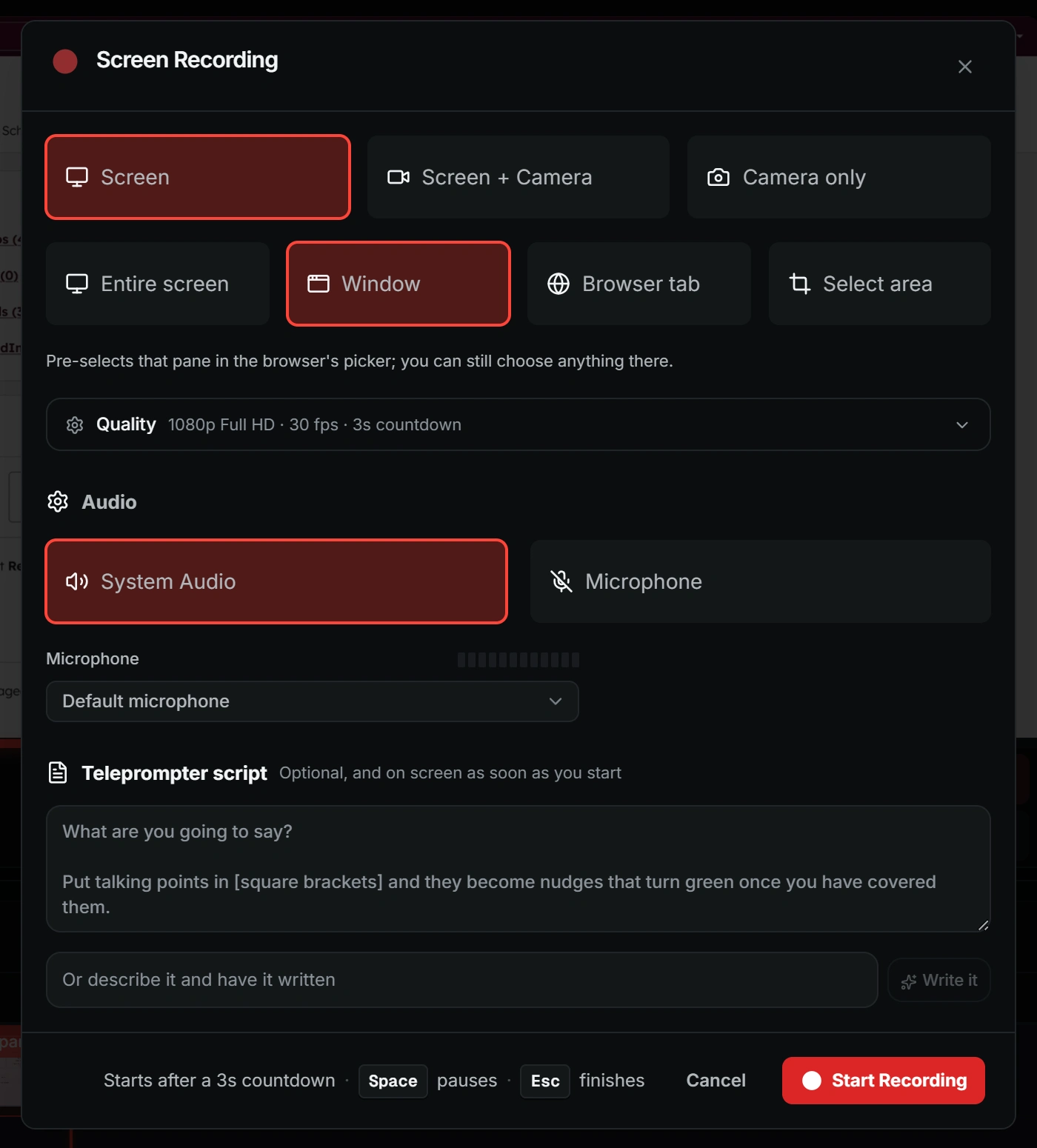
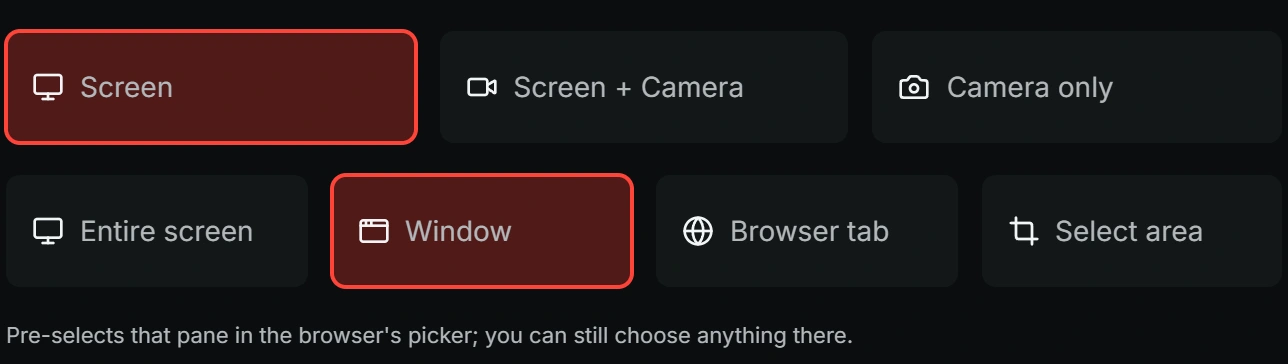
The ShowShot recording dialog: capture mode, source, resolution, frame rate, countdown and audio
1080p30 FPSSYSTEM AUDIO
The recording dialog, captured live

A HUD you can put anywhere, and a bubble that is not glued to a corner.

Grab the grip and drag the control bar wherever it is not in the way. Timer, pause, annotate, stop, cancel. The camera bubble is a separate object you move and resize, and the microphone is its own track so a quiet take is fixable afterwards instead of re-shot.

  • Honest pause

    Pause writes a real gap, not a silent overlap.

  • Mic health

    A check before the take, a level meter during it.

  • Region capture

    A single panel or window, nothing else in frame.

  • Backdrops

    A shared tab is not a naked rectangle.

ShowShot screen recording dialog: capture mode, source, resolution, frame rate, countdown and audio settings
The recording dialog. Set once, then Space pauses and Escape finishes.

Pick the shot. Change your mind afterwards.

Five recording layouts with a live placement preview before you start, and every one of them stays editable after the take, because the screen and the camera are still two separate objects on the timeline.

Bubble

Screen with your camera in a movable circle. The Loom shape, and the default for a reason.

Side by side

Screen and camera share the frame. Best when your face is doing as much work as the screen.

Presenter

You large, the screen inset. The layout that reads as a talk rather than a walkthrough.

Cinema

Screen only, on a backdrop, with padding and a soft shadow so the recording does not look like a screenshot.

Camera only

Straight to camera, portrait or landscape, for the message that does not need a screen at all.

Talking-head overlay

Your avatar, or a second take of you, composited over the recording on the same layout engine.

A camera take recorded in ShowShot, the bubble floating over the screen
The camera track. Recorded as its own file, so the layout can change after the take.

Two tracks, one take.

The screen and the camera are recorded separately and cut out live, so the bubble can move, grow, or become a side-by-side after you have stopped. A camera-only pickup drops onto the same timeline, and a cloned voice covers the line you did not land.

What the editor does with it

Record from the browser, the extension, or the desktop.

Web appNo install

Full screen, any window, or a tab with its audio. Works on a locked-down laptop.

ExtensionAny tab, one click

Controls float over the page you are already looking at, the tab is recorded with your camera, and the page URL travels as context.

DesktopAny app, global hotkey

Controls and bubble outside the capture, reliable system audio, window-follow and 4K without tab throttling.

Same pipeAll three

Local file, streamed copy to storage while it rolls, auto-publish, auto-transcribe. The surface changes, nothing downstream does.

Record it once. Deliver it a thousand ways.

No card, no trial countdown, no seat to justify. Record something in the next ninety seconds and see what the link does.