A video link lives or dies in the two seconds before anyone clicks it. This week we changed what those two seconds look like: every ShowShot video now carries a five-second animated preview, cut from the moment the recording gets interesting, and every link unfurl sends the right image to the right place.
The still frame problem
A still thumbnail of a screen recording is usually a login page, a blank tab, or the presenter mid-blink. We used to pick a frame a couple of seconds in, which was better than frame zero and still not good. The frame said "a video exists". It never said what the video was about.
Five seconds, straight through
The new preview is one continuous clip. We sample the recording every two seconds, score how much each frame differs from the last, and start the clip right after the strongest cut. A screen recording of a dashboard tends to have one obvious moment where the presenter scrolls to the thing they came to show. That moment becomes the preview.
The preview plays on the watch page cover until the pointer reaches the player.
If you would rather choose, the Thumbnail panel on your watch page lets you pick the second it starts from. Pick more than one and the five seconds are shared out as a short montage.
Keeping it light
Animated previews are GIFs, because GIFs are the one format every chat app, inbox and social card renders without asking. GIFs are also famously heavy. Ours are not, for one reason: frames are delta encoded. A pixel that did not change since the last frame is written as transparent, and the decoder keeps what it already had. A screen recording is mostly still, so a preview that used to weigh 600KB now weighs about 260KB with more frames in it.
What a link looks like now
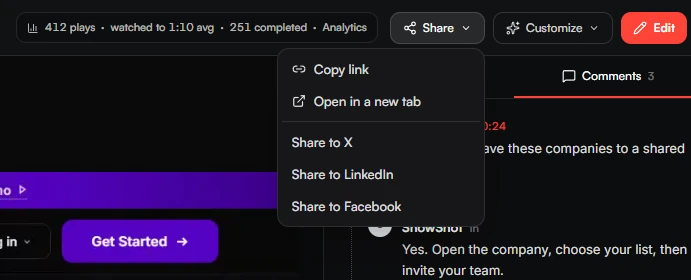
Link unfurls are read by crawlers, and crawlers disagree about animation. So the page tells each one what it can use.
The title is your video's title and the description is the one the AI wrote from your transcript. If a video has not been described yet, the card shows the first words you actually said, which beats a generic line every time.
The best link preview is the one that makes the click feel like it already started.
Small print
- Previews are built after publish, so a link works before the clip exists and picks it up a few seconds later.
- Replacing your thumbnail also replaces the badged copy that previews use. Previously it did not, and old cards kept the old picture.
- Preview images are capped at 1280 pixels wide, which keeps them under the size WhatsApp will still show.